

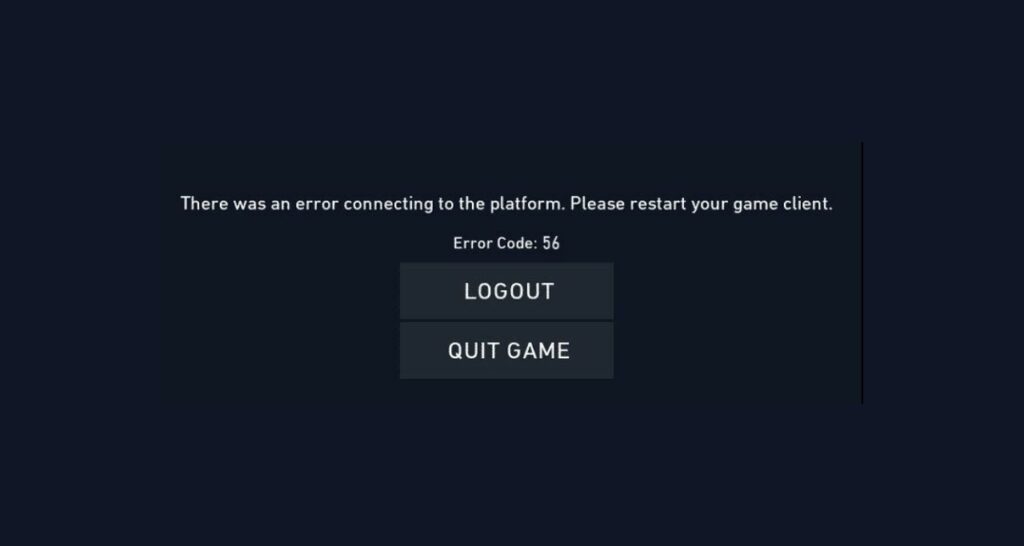
VAL 56 in Valorant is a “LegalInfo Init Failure” error. You’ll see this code if the game is having trouble loading certain legal or login data during startup. This stops Valorant from launching as it can’t fetch the needed information from its servers. Usually, this error shows up because the Riot Client couldn’t grab the correct data from the internet, there’s a problem with your connection, or the client itself glitched out.
What Does Valorant Error Code 56 Mean?
“LegalInfo Init Failure” error or VAL 56 means the game couldn’t get required legal or login data from Riot’s servers, so it can’t start. This could be a server-side issue (like downtime or maintenance), a problem with your local network, or the Riot Client failing to load fully. Sometimes, antivirus or firewall software can block the client, or network settings could be interfering.
How to Fix VAL 56 Error Code in Valorant
1. Restart the Riot Client
A simple fresh start often fixes VAL 56.
- Open Task Manager (Ctrl + Shift + Esc).
- End all Riot-related and Valorant processes.
- Close Task Manager.
- Restart the Riot Client and Valorant.
2. Check Riot Server Status
Before making big changes, check Riot’s official status page and Valorant Twitter for server outages. If the servers are down, you’ll need to wait for Riot to fix it.
3. Restart Your PC and Internet
Rebooting your system and router refreshes network connections and clears up most start-up issues.
- Restart your PC.
- Unplug your router for 30 seconds, then plug it back in.
- Launch Valorant when everything’s stable again.
4. Update Your Network Settings
Sometimes DNS or IP settings block Valorant from loading legal info.
- Open Command Prompt as admin.
- Type these commands, one by one, and press Enter after each:
- ipconfig /release
- ipconfig /renew
- ipconfig /flushdns
- netsh winsock reset
- Restart your computer.
5. Run Riot Client as Administrator
Running the client with admin rights helps avoid Windows permission blocks.
- Right-click your Riot Client icon.
- Select “Run as administrator.”
- Start Valorant and check if the error is gone.
6. Check for Firewall/Antivirus Blocks
Firewalls and antivirus programs can block Valorant’s connection.
- Open your firewall/antivirus settings.
- Add Valorant and the Riot Client to the allowed list.
- Restart your computer after changing settings.
7. Reinstall Valorant (If All Else Fails)
A clean reinstall can fix corrupted files or persistent client errors.
- Uninstall Valorant and Riot Vanguard.
- Reboot your PC.
- Download the newest Valorant installer from Riot’s website.
- Reinstall and check if the error is resolved.
8. Contact Riot Support
If VAL 56 still happens after these steps, Riot Support can help troubleshoot account or system-specific issues.
- Visit the Riot Support website.
- Create a ticket explaining when and how you see VAL 56 and what you’ve tried.
Similar Errors like VAL 56
VAL 56 is like other startup and data-loading errors such as VAL 55 (repair manager problems), VAL 43 (platform connection issues), and VAL 57 (Vanguard launch issues). The same fixes (restarts, network resets, and running the client as admin) work for these errors too.
Conclusion
VAL 56 usually means Valorant failed to grab login or legal data needed for launch, often because of network or server issues. Restarting the Riot Client and your PC is the best first step. If that doesn’t work, try the network settings and admin fixes. Most players get Valorant running again fast, but Riot Support is available if you need more help.